
Pay TV has been the default way to get live sport and a wide range of channels for decades. IPTV offers a different deal: a subscription delivered over your internet connection to the devices you already own. Neither is right for everyone. This guide compares them fairly, including the drawbacks of IPTV that sales pages tend to skip.
The main differences at a glance
| Typical pay TV | IPTV | |
|---|---|---|
| Contract | Often a minimum term | You choose 3 months to 2 years, with no auto-renewal |
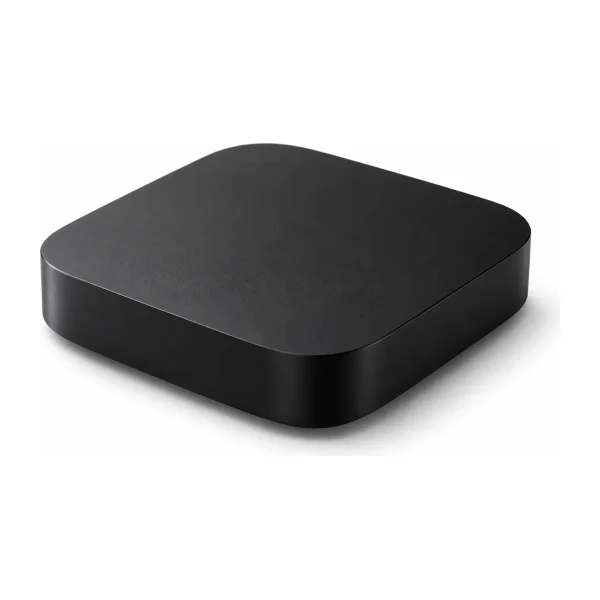
| Equipment | Set-top box or dish | A device you already own |
| Setup | Can need a technician | Install a player and sign in |
| Other rooms and phones | Often an extra box or app | Same plan, any supported device |
| Needs the internet | Not for dish or antenna | Yes, always |
| Picture delay on live events | Closest to real time | A few seconds behind is normal |
Cost: compare a full year
Pay TV prices vary a great deal by package and by promotions, so the fairest comparison is your own bill. Add up what you pay in 12 months, including any box rental, extra rooms and sport add-ons. Then compare it with a 12-month IPTV plan. For one screen that is A$100, about A$8.33 a month, and a two-screen plan is A$173. See every option on the pricing page.
Equipment and installation
A dish or cable service needs hardware and sometimes an installer. IPTV needs a device that can run a player app: a smart TV, a streaming stick, a phone, a tablet or a computer. If you do not already have one, a streaming stick is the lowest-cost option. Our device comparison shows what to buy and what to avoid.

What to check before you leave pay TV
- Your contract. Find the end date and any exit fee. Do not cancel until a replacement works for you.
- What you really watch. List the channels and sport you use every week. Ask any provider, including us, about those before you pay.
- Your internet. Run a speed test in the evening. Our NBN speed guide shows what each picture quality needs.
- Your devices. Check each TV can run a player app, or plan a streaming stick.
- Your recordings. Recordings usually stay on the pay TV box. Check how to watch or keep anything you saved.
- The price over a year. Compare 12 months of your current bill with 12 months of IPTV.
A simple switching plan
- Week 1. Keep your pay TV and try IPTV on one device with a short plan.
- Week 2. Watch the channels and sport you care about, in the evening.
- Week 3. Check your internet speed and decide how many screens you need. This guide helps.
- Week 4. If you are happy, cancel pay TV at the end of its term.
Keeping both for a month costs a little, but it removes the risk of being without TV on the weekend you most want it.

The honest drawbacks of IPTV
- It needs a steady internet connection. If your internet goes down, so does the TV.
- You need a player app, and some players charge a licence fee after a trial.
- Live streams can run a few seconds behind a broadcast.
- Channel line-ups can change, and no provider can promise every channel forever.
- You are responsible for your own setup. There is no technician visit. Our setup guide is there to help.
Who IPTV suits, and who it does not
IPTV tends to suit households that are comfortable setting up a streaming device, have decent internet, and want to avoid contracts and equipment. It also suits people who watch on several devices around the house. If you want a plug-in box and a phone number to ring when anything goes wrong, a traditional service may suit you better.
Before you decide, read is IPTV legal in Australia so you know what questions to ask any provider.
A worked example: one household, one year
Numbers make the comparison fairer than adjectives. Take a household of two that watches in two rooms. The IPTV side is easy: a two-screen plan for 12 months costs A$173, which is about A$14.42 a month. For pay TV, use your own bill and add everything that comes with it:
- the monthly package price multiplied by 12;
- any box rental, extra-room charges and sport add-ons multiplied by 12;
- any installation or early exit fee;
- the cost of the internet you already pay for, which you need either way.
Put the two totals side by side. If you only need an internet connection you already pay for, IPTV adds just its plan price. If you do not have decent internet, that cost belongs in the IPTV column.
What you might miss, and what you might gain
| You might miss | You might gain |
|---|---|
| A set-top box that just works with a single remote | The freedom to watch on a phone, a tablet or a laptop |
| Phone support from a large company | No contract, and a plan that does not renew by itself |
| Recordings on your own box | One plan across every room and screen you pay for |
| The closest thing to live time | A lower cost for several screens |
Neither list decides for you. Think about which matters more in your home, and use the checklist above. If you are still unsure, read how to judge any provider before you commit.
Questions people ask
Is IPTV cheaper than pay TV?
It depends on your package. Compare your 12-month bill with a 12-month IPTV plan rather than relying on general claims.
Do I still need an antenna?
Free-to-air TV and IPTV are separate. Many households keep an antenna for local free-to-air channels as a backup.
What if my internet goes down?
Then IPTV stops too. Some households keep a mobile hotspot as a backup for big events.
Can I try it first?
Start with a 3-month plan while you still have pay TV. Plans do not renew by themselves.
Will the picture be as good?
It depends on the channel and your connection. Many channels are HD or Full HD, and some are 4K.
Can I watch in more than one room?
Yes. The number of screens in your plan decides how many rooms can watch at once.
 Setup
 Setup
 Guides