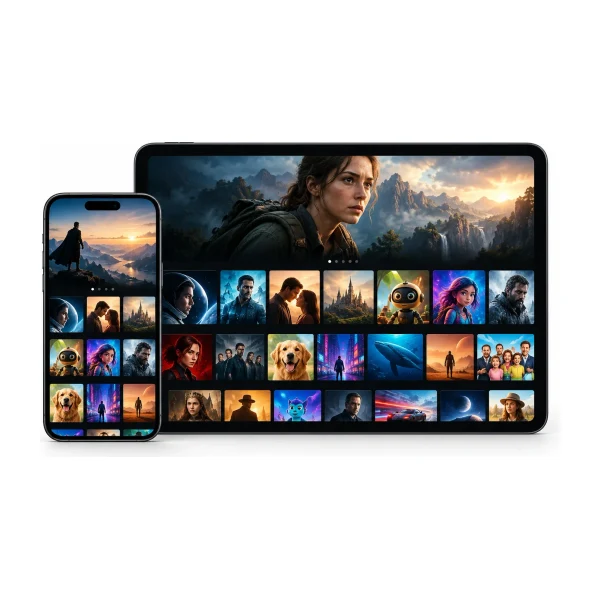
When you set up IPTV for the first time, the app asks for details that look technical: a playlist, a portal, a server URL, a MAC address. They are all different ways of answering one question: how does your player find your channels? This guide explains the three methods in plain language, shows which devices use which, and covers the mistakes that cause most “nothing loads” problems.
Method 1: Xtream Codes login
An Xtream Codes login is a username, a password and a server address. You type them into the player, the player asks the server for your channel list, your TV guide and your on-demand library, and everything appears. It is the most common method and the most reliable, because the player gets the whole service in one go, including movies and series, instead of only a list of channels.
Some players, such as V12Mate, already know the server, so they only ask for the username and password. Others, such as TiviMate and iMPlayer, ask for all three.
Method 2: M3U link
An M3U link is a web address that points to a file holding a list of channels. The player downloads the list and shows it. It works almost everywhere, which is why many players support it, but it has limits: it usually carries only live channels, the TV guide can be less reliable, and the link often contains your username and password inside it.
Treat an M3U link like a password. Never post it in a public place, and never send it to someone outside your household. If you think someone else has it, message us.
Method 3: MAG portal and MAC address
MAG boxes, and some smart TV players, do not use a username. They identify the device by its MAC address, which is a unique code printed on the box or shown on screen. We register that address on our side and send you a portal URL to enter on the box. Once the portal is set, the box loads the service when you turn it on.

Our MAG guide lists the exact steps: find the MAC address, send it to us, enter the portal under System settings, then restart the box.
Which method does your device use?
| Device or player | Usually uses |
|---|---|
| V12Mate on Fire TV or Android TV | Username and password |
| iMPlayer, Smarters, TiviMate | Xtream Codes (username, password, server) |
| Hot Player on Samsung, LG or Roku | MAC address, then a playlist added on a website |
| Formuler and Dreamlink boxes | Portal with username and password |
| BuzzTV boxes | XC API login with username and password |
| MAG boxes | MAC address and a portal URL |
If you are not sure which player to use, read the device guide or our Fire TV step-by-step.
Common mistakes when entering a login
- A space copied at the start or end of the username or password.
- Capital letters typed as small letters. Logins are case-sensitive.
- Typing a server address into a player that does not need one.
- Using the address from an old message instead of the new one.
- Typing the letter O for a zero, or a lowercase L for a one.
Why the TV guide sometimes works differently
With an Xtream Codes login the guide comes with the login. With some M3U links the guide has to be added separately, and it may not match every channel. That is one reason Xtream Codes is the better choice when your player supports it. How to use the IPTV TV guide has more on this.

Keeping your details safe
- Do not post your login or an M3U link in a public place.
- Do not share it outside your household.
- Delete old messages that hold your login if you lose a phone.
- Message us at once if you think someone else has your details.
Sharing logins is against our terms, and it can also use up your screens. See is IPTV legal in Australia for what else to keep in mind.
A short glossary
| Term | What it means |
|---|---|
| Xtream Codes | A login made of a username, a password and a server address. The most common way for a player to connect. |
| M3U | A list of channels held in a file, reached through a web address. |
| M3U8 | A related file type used for streams. You rarely need to think about it. |
| EPG or XMLTV | The TV guide data that shows what is on. See how to use the guide. |
| Portal | A web address that a box such as MAG, Formuler or BuzzTV connects to. |
| MAC address | A unique code for a device, such as a MAG box. We register it so the box can connect. |
| VOD | Video on demand: movies and series you can start whenever you like. |
| Playlist | The list of channels and titles your player shows after it connects. |
| Server URL | The web address of the service that your player talks to. |
You do not need to remember any of these. When we send your login, we tell you which type your device needs, and the setup guide shows exactly where to type each part.
Questions people ask
Can I use the same login on two devices?
Yes, as long as the number of screens watching at the same time stays within your plan. See how many screens you need.
Do I need to keep my M3U link secret?
Yes. The link usually contains your login, so anyone who has it can use your plan.
Which is better: M3U or Xtream Codes?
Xtream Codes is usually better, because it loads the guide and the on-demand library more reliably.
Where do I find my MAC address?
On a MAG box it is on the sticker under the box. On a smart TV with Hot Player, the app shows it on its first screen.
What if my player only accepts M3U?
Tell us the name of the player and your device, and we will send the right details.
Why does the player say invalid login?
Check capital letters, spaces and the server address. If it still fails, message us with the player name.
 Setup
 Guides
 Guides