
Sport is the reason many people in Australia look at IPTV in the first place. It is also where the details matter most: a few seconds of delay can spoil a goal, a late start can break the guide, and a weak connection can stall the picture in the last minute of a close game. This guide explains how live sport behaves over IPTV and gives you a simple test to run before the big night.
Why a stream can run behind the broadcast
An IPTV stream travels over the internet. The video is prepared, sent, buffered by your player and then shown, and each step adds a little time. The result is that a stream usually runs some seconds behind a traditional broadcast. A steady delay of several seconds is normal. If your neighbour cheers before you do, that is the usual reason.
Steady delay or growing delay?
A steady delay is fine. A delay that keeps growing, or a picture that keeps pausing, points to your internet connection or Wi-Fi rather than the stream. Our buffering guide lists the fixes in the order that solves most problems first.
Time zones matter for national competitions
National competitions are usually announced in east coast time, but your device shows your own time. Here is where a 7:30 pm Sydney start lands around the country.
| City | April to October | October to April |
|---|---|---|
| Sydney, Melbourne, Canberra, Hobart | 7:30 pm | 7:30 pm |
| Brisbane | 7:30 pm | 6:30 pm |
| Adelaide | 7:00 pm | 7:00 pm |
| Darwin | 7:00 pm | 6:00 pm |
| Perth | 5:30 pm | 4:30 pm |
Queensland, Western Australia and the Northern Territory do not use daylight saving, which is why the gap changes at the start of summer. Our city guides explain the time zone for each capital.
Finding the match in the TV guide
Open the TV guide, browse the sport channels, or search by team name. Sport often starts late or runs over, and the guide can lag behind a schedule change, so give it a moment to refresh. How to use the IPTV TV guide covers search, favourites and what to do when the guide looks wrong.
Choosing quality for fast action
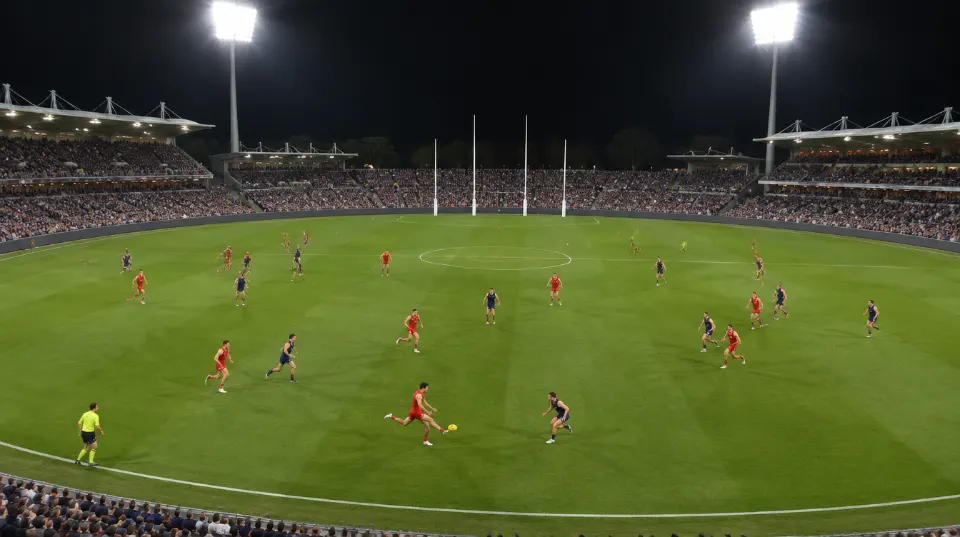
Fast action looks best on a good connection. If your internet is limited, choose HD rather than 4K, because a steady HD picture beats a 4K picture that keeps pausing. Wired connections help most. About 25 Mbps for each 4K screen is a good rule, and our NBN guide explains how to match it to a plan.
A game-night test
- Test the day before, not in the first minute of the match.
- Use a cable to your TV, or sit close to the router.
- Pause other downloads and updates on every device in the house.
- Watch one live channel for 20 minutes in the evening, when the network is busiest.
- Check the guide shows the right start time for your city.
- Keep a backup: know where your mobile hotspot is, and have a second player installed if you can.
How many screens for game night?
Count how many screens will watch at once, such as the lounge, the patio and a phone. Plans cover 1 to 5 screens, and a plan with more screens costs less for each one. How many screens do you need walks through it.

Avoiding spoilers
Because streams run behind a broadcast, phone alerts and social media can spoil a goal before you see it. Turn off sports notifications and mute group chats during the match. If you watch with friends who use different services, agree on a delay rule.
What our customers ask about
People ask about footy, the NRL, cricket, football, rugby union, tennis, motor racing and boxing. Sports channels are part of every plan, but line-ups change and we cannot promise a particular match. See the channels page for the categories, and message us the competition you follow before you order.
Planning a sport weekend
A little preparation turns a stressful night into an easy one. Here is a routine that works for a Friday night match or a Saturday afternoon of cricket.
- Thursday: check your player is updated, and check that the guide shows the right times for your city.
- Friday afternoon: restart the router and the streaming device, and pause any downloads.
- An hour before: open the channel and watch for five minutes. If it pauses now, you have time to fix it.
- At the start: keep the number of screens within your plan, and ask guests to stay off other downloads.
- If it fails: switch to a second device or a hotspot, and message us the channel name and the time.
If you use a soundbar or an AV receiver
When a soundbar is connected to the TV, the sound can run slightly ahead of or behind the picture. Most TVs and soundbars have an audio delay setting that fixes it. Change it a little at a time while a match is playing, and stop when the commentary lines up with the players’ mouths. If the problem only appears on IPTV channels, restart the player as well.
Watching with a crowd also means more phones in the room, so test with everyone connected to the same Wi-Fi. For a full picture of speeds, see what NBN speed you need.
Questions people ask
Can I watch the AFL, NRL and cricket?
Many customers choose IPTV for these. Competitions change, so message us the one you follow before you order and we will tell you what we can offer.
Are pay-per-view fights included?
PPV events and sports are part of every plan. Ask about a specific event before it starts so we can confirm it.
Can I watch two matches at once?
Yes, if your plan has two or more screens and your internet can handle both streams.
Why is my stream behind my friend’s TV?
A stream travels over the internet and runs some seconds behind a broadcast. A steady delay is normal.
What if the match is on late?
Live sport often starts late or runs over. The guide may lag a little, so give it a moment to refresh.
Does the picture suffer when everyone in the street is online?
It can, on shared connections. A cable, a paused download queue and a steady plan size help most.
 Setup
 Plans and prices